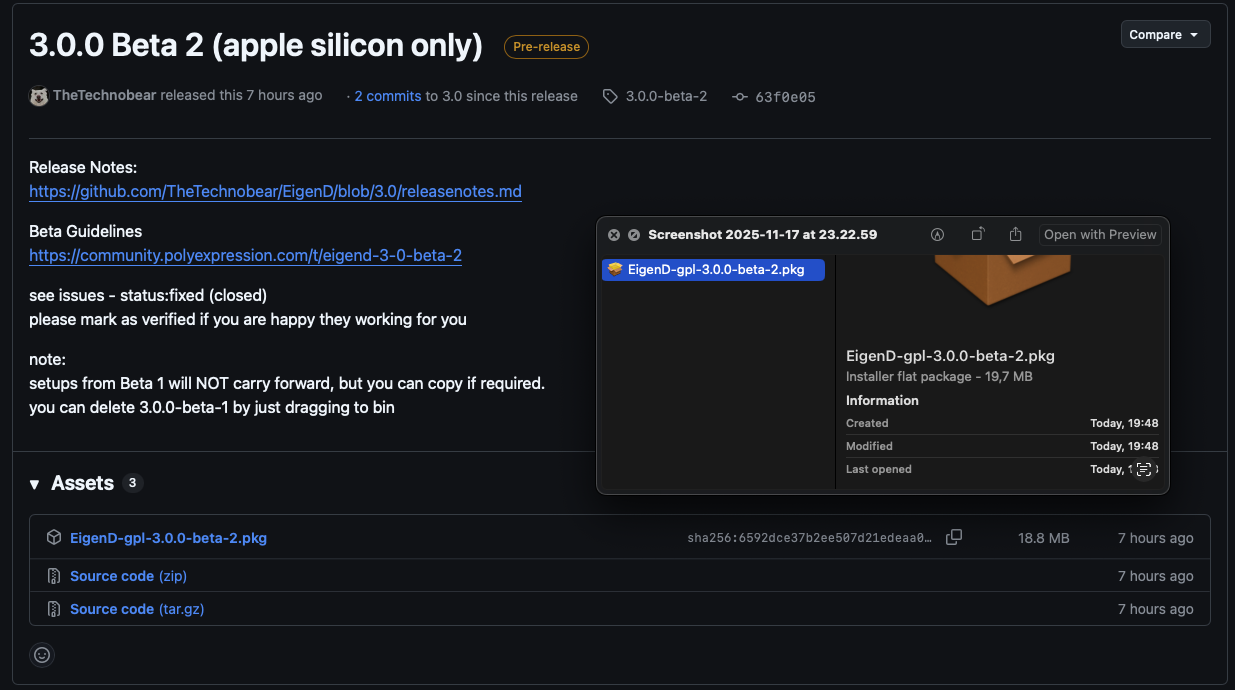
Yepp, that’s it, eigend.0.log is the latest not the first… 
@thetechnobear Odd, it says beta1, I thought I downloaded and installed the right one. Could it be that the new binary doesn’t end up in /Applications/Eigenlabs/EigenD?
Yepp, that’s it, eigend.0.log is the latest not the first…
@thetechnobear Odd, it says beta1, I thought I downloaded and installed the right one. Could it be that the new binary doesn’t end up in /Applications/Eigenlabs/EigenD?
Ah, for some reason beta2 doesn’t appear in Launchpad, the EigenD there is still beta1. But when going to /Applications/Eigenlabs then there is a 3.0.0-beta-2 folder now. When starting beta2 then I also get a beta2 settings and logs folder.
Sorry, that means the two GitHub reports were still done with beta1 even though it mentions beta2. Will retest with beta2.
I think launchpad likely only shows one app of the same name, so you’d have to remove the old one … and likely delete from trash
also watch out on your toolbar , your ‘recent app’ wont change, its locked to a location.
note: you’d not want any of this different, given you might have v2.2.1 still installed, whilst testing a 3.0.0 beta.
edit: I should say my confidence comes from, this all happens ‘automaticallly’ - so I can’t get it wrong 
yep, you’re righ!
Should have double check what I was “Lauching” auchhh
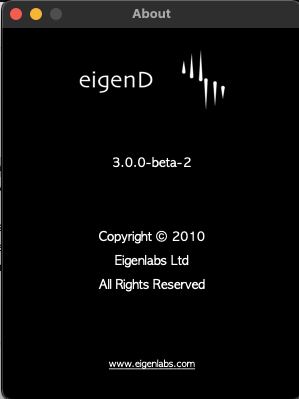
Sorry Mark…
Ok, both issues can be repeated in beta2 (and removing midi in solves the randomization for beta2, too), so I can leave the GitHub issues as is.
no worries, I have to be very careful myself, as I have 4 different builds on my machine…
so, I know its easy to end up with the wrong one!
as I said previously, I believe it always sends to “Eigenlabs 1” (or Eigenlabs 2 etc), even if you have a specific one selected - but iirc, thats not new behaviour. its an oddity that caught me out in the past.
null is pretty much means - default = Eigenlabs 1
midi input, hmm, not sure… does the standard setup have one in it? and routing out to a rig? I’ll check…
Im pretty sure, none of this has changed,
I think, like you, my ‘main rig’ has a midi router on it (mioXM), and this has caught me out in the past… esp. with synths that ‘echo back’ midi they have coming in.
thats kind, of what I want to look at a again.
can you test on 2.2.1, I need to know if in your setup its was working before.
yes it has! and nicely useful as you can “manipulate” tonics, scales and metronome start stop (this using MIDI notes)
yes, it has midi routing for talkers but it does not route midi notes (is what I meant)
so this could explain @NothanUmber weird ‘key changes’ , if a controller was sending something activating the talkers. esp. if there was a midi feedback loop (dont we love those ;))
Id have to check what “Null Device” on input means… could be first device, or no device.
also possible that it changed in Juce 8 (unlikely)
so I need to test against 2.2.1
Just installed EigenD 2.2.1 (and Python 2.7), I can reproduce the MIDI randomization there also (and fix it by deleting the midi in agent). So this is not a new issue.
yeah, that makes sense… as I said, I thought Id seen oddities like this before…
Ive a feeling, it’s just spurious midi data coming in on the input, possibly from first midi device or something - and possibly a feedback loop…
also explains why your metronome led was going on and off, as thats one of the talkers that its hitting
I usually used EigenD with my own custom setups and these didn’t have midi in. The last time I used the standard setup for longer were probably EigenD 1 times, so wouldn’t be surprised when this goes back to EigenD 2.0 
its a bit late, so I need to double check this tomorrow…
but a quick look at the code, looks like as I suspected.
the virtual inputs and output are always ‘active’, as well as the core midi input/output selected. which is what I kind of remembered as the behaviour.
Ive a feeling, on the output side I got caught out with this in the past when having Ableton use ‘all midi inputs’ on a track… so getting same data twice !
I’ll double check this tommorow.
It needs cleaning up…
though honestly, Im not sure what the original intention was.
I suspect, its an area, that an addition was made (probably virtual midi devices) that wasn’t really thought through.
the annoying bit is, its kind of nice, not having to go in and setup midi devices in a small setup (they are just there and work)… but a pain, with a larger setup.
BUT I dont think I can make it work well for both (since setups are ‘fixed’) , if I make null = no midi output - include virtual I break the small setup.
Perhaps setting the first midi out to “Eigenlabs 1”, the second to “Eigenlabs 2” etc. and midi in to “no device” (and changing that to “really no device”) by default could be a setting that is both deterministic and convenient for most?
I think the odd bit is from a UX point of view is.
“null device” means nothing / anything…
having Eigenlabs 1 as a selection in the list ‘implies’ you need to select it to use it!
(whereas it kind of means ‘only’ EigenLabs 1)
its not helped by the fact windows doesn’t have virtual midi ports, which I suspect is why it was a bit of an ‘after thought’.
personally, Im tempted to just go for the logical…
Null device - rename to “No Device” - no IO
Eigenlabs 1 = Eigenlabs 1 (only)
Virus TI = Virus TI (only)
default = no device (aka previous null device)
sure it means you have to set it explicitly, but at least its clean and no surprises.
and its a ‘different issue’, that we need better access to it,… i.e. going to workbench just to set a midi port is ‘overkill’
I meant automatically changing the setting for midi out from Null device to Eigenlabs 1/2/etc. when it is stored as Null device in the setup (if it was explicitly set to Non-Null then this should of course be used). And for Midi in to map “null device” to “no device”.
But right, could also be surprising, having a simple dialog like for choosing audio out sounds promising!
that depends how the setup are storing it…
its likely the setups have stored an explicit index its not ‘missing’ so you can default to a new value - ofc, for a new agent, anything is possible, but then you likely to go in and set it
anyway.
all that said, null device is having a new behaviour anyway…
but I dont think this really matters… wait for the support calls 
really the change here is… EigenLabs 1 wont be used unless explicitly set.
and that implies Null Device (now No Device) reverts to probably what its original intention was = No input or output… but that got lost due to virtual IO being always active.
can others please test this : Alpha mode key issues
you can also test on Pico/Tau if you don’t have an alpha to hand.
that said, pico / tau use click buttons so if its down to threshold, wont see.
I’ve tried multiple times (on alpha) and cannot reproduce works fine for me.
It’s generally really useful, for new issues if
a) test on 2.2.1 (or older)
b) someone else can verify
this’ll really help narrow down setup / hardware related issues, and/or pre-existing issues.
whilst I obviously test, so we have a 2nd point of reference, having others is super useful
( esp. as its highly likely Ive not seen issue before… as Id not release, if I had … so its often, I cannot see issue)
EDIT: something completely different
I really don’t like that closing the EigenD (load) window does not exit the app, it just hides the ‘load window’ and carries on running.
Countless times, I find EigenD is still running when I assumed Id closed it.( * )
I feel like it you close this window, it should (with confirmation prompt) close the app - as its like the last window/document.
ofc, you can always minimise if you wont want to see it.
thoughts?
do you find you end up with EigenD running when you think you closed it? (due to this)
do you like the way it is currently - do you assume, close = close this window.
its only a small irritation, so Im happy to keep as is, I can’t say this is a priority for me either
( * ) Ive also a suspicion this might be a ‘me issue’ , since as a dev, im opening / closing eigend a LOT, and its annoying my new instance wont start.
but a ‘dev issue’ should not drive a user facing change !
I tend to do the same that you do. When I close the main EigenD window I expect to have exited the app. But then again, I get this wrong with a lot of software… 
Dito. Is there any use case where I’d want the EigenD window to be closed but the application to still run? Is the processing still working in that case? If not then I cannot imagine who would want it that way.