LivePad(LiveOSC) agent

Hi Mark,

Do you know of a solution to get the LivePad (LiveOSC) agent to work with Live11?

Because, Ableton Live 11(not Beta) has moved the code base for MIDI remote scripts from Python 2 to Python 3.
Due to the change in Python 3 syntax, custom/third party MIDI remote scripts that were created to work with Python 2x / Ableton 9 or 10 will not work in 11.

If you have any insights on this I would appreciate your advice.

sorry, no Ive not used it for a while
 in fact I cannot even remember how to use it :slight_smile:

from a quick look, my guess is its in two parts

a) LivePad agent within EigenD
this sends osc to ‘liveosc’

this part should still work

b) LiveOsc remote script
from : http://livecontrol.q3f.org/ableton-liveapi/liveosc/ ?
this is I guess the part that is now failing?

that looks pretty old, but looks like someone forked it to get it working with Live 10.
i guess someone will at some point (hopefully) get it working on Live 11?

unfortunately, I really don’t know much about how the liveosc remote scripts works, so it would not be an easy thing for me to fix.

a bit of background, I think livecontrol was created for Lemur, so was originally by lline ?
but they don’t seem to doing much these days
interestingly though there forum has a user asking about this too
https://forum.liine.net/viewtopic.php?f=25&t=6166

1 Like

Thank you for your kind signposts and answers😊

I don’t know if anyone will be able to find a solution in the future, but I will continue to monitor the thread on the URL site you gave me for a while.

2 Likes

ableton Live 12 MIDI Remote Script for LivePad(LiveOSC) agent

Hi everyone,

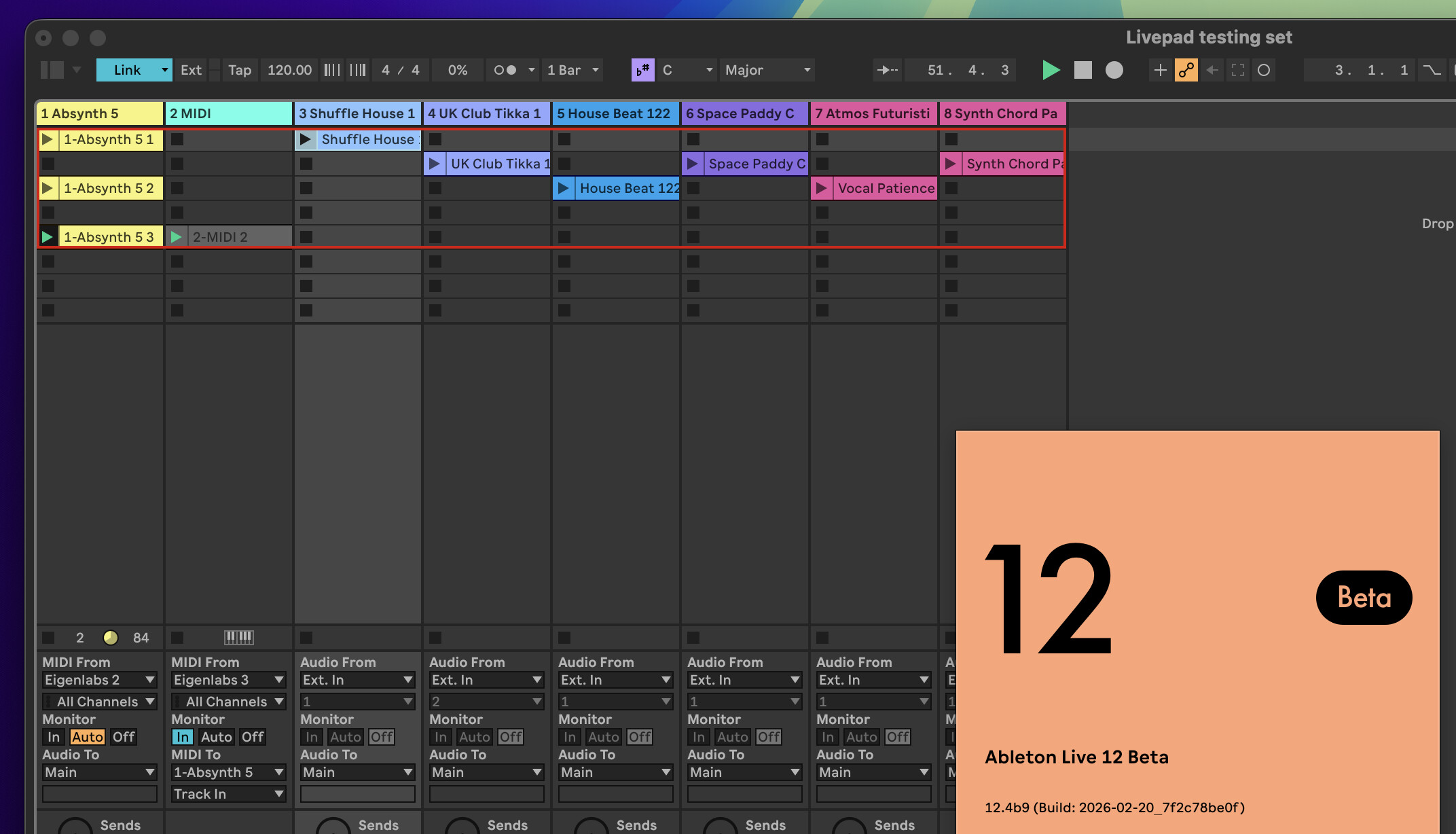
I’ve updated LiveOSC — the Ableton Live MIDI Remote Script required for EigenD’s LivePad agent — to work with Python 3 and Ableton Live 12 (tested on 12.1.5 and 12.4b8/b9).

As some of you may remember, this was the missing piece that prevented LivePad from working ever since Live moved to Python 3. The original LiveOSC was written for Python 2 and simply stopped loading in Live 11 and later.

What’s fixed:

  • Full Python 3 compatibility
  • Live 12 MIDI Note API (updated deprecated methods)
  • LivePad LED sync on EigenD startup and setup switch
  • LEDs not updating when clips are deleted or moved
  • LEDs not updating when new tracks are added to the Session View
  • Play/stop colour changes not reflecting on Eigenharp keys
  • Various listener bugs causing intermittent LED desync

Tested with:

  • EigenD 3.0 Beta-2 (Apple Silicon)
  • Ableton Live 12.1.5 and Live 12.4b9
  • Eigenharp Alpha with LivePad agent wired to keygroup and custom talker

Installation:

  1. Download the ZIP and extract the LiveOSC folder
  2. Copy it to your Ableton User Library under Remote Scripts:
    ~/Music/Ableton/User Library/Remote Scripts/
  3. In Live: Preferences → MIDI → Control Surface → select LiveOSC
  4. Restart Live

The MIDI Remote Script for Ableton Live 12 (for Eigenharp alpha) is designed to interact with EigenD’s LivePad agent. This script enables interaction between LivePad and Ableton Live via MIDI signals, allowing users to operate more flexibly in music production and performance.

Key features of LiveOSC include the display of clip playback statuses and LED synchronization, and it is compatible with Python 3. It can be used with Ableton Live 12, facilitating smooth music production while utilizing the latest features.

Download:
LiveOSC_Live12.zip (18.3 KB)


A note on how this was made:
This MIDI Remote Script’s migration project to Python 3 was developed through vibe coding based on my own trial and error and intuition, without any coding knowledge or expertise. It was made possible through interactions with Claude (Anthropic’s AI). This project exists thanks to that collaboration.

If you find a bug, I can’t fix it directly — but please report it here with as much detail as possible (what you did, what happened, which version of Live and EigenD you’re on). I’ll feed the report into Claude and work through a fix the same way this was built. Bug reports are genuinely welcome.

Hope this gets some of you back to playing with LivePad again!


My System information:
OS: Mac OSX 26.3 64 bit: yes
CPU: Apple M1 Max, Cores: 10, Speed: 2400 MHz
Memory: 65536 MB
EigenD Version: 3.0.0-beta-2
Ableton Live Version: 12.4 beta9

4 Likes

cool stuff !

I saw your bug report for the talker agent.

I did quite a bit of testing and I cannot reproduce it.
you’ll find details of tests I did etc in the issue report.

tl;dr;
I think for some reason, the live pad agent was not present when you tried to edit the talker - so its NOT a talker issue, more likely live pad agent was missing.

(I’ll wait for your feedback, before closing this as non-reproducible)

assuming the live pad agent was supposed to be present, then the issue likely lies there.
BUT I’d need to see the eigend logs for that, and also some reproducible scenario around that


so that would be a best as a new bug issue, once we have details surround this.

Im wondering if there could have been some failed ‘comms’ (not so likely with osc) , or perhaps this version of LiveOSC is sending back something unexpected, and the LivePad agent is not handling this well. again, eigend log might give some hints here.

1 Like

Thank you, Mark, for conducting numerous reproducibility tests and sharing your insight that this issue is not related to the Talker.

I will also investigate whether the problem of not being able to write a Belcanto script when adding Action to the Talker is related to connections with LivePad or other agents.

1 Like

as stated on issue, I dont think its anything to do with talker.

bare in mind, talker is working with much more complicated setups, and we know these work
 so as long as its adding / saving the action (which it is , I tested), then Id say they are a ‘red herring’, its something else.

id be surprised, if its anything other than “live pad 1” did not exist at that time (or had stopped responding).

and, given you have implemented a new live script,
it seems likely(?) this could have caused some change in the protocol being sent/handled, and creating a use-case not being handled in the existing livepad agent (as it didnt occur before)

fortunately, livepad was one of the first agents I ever wrote, and its actually very simple
 based on cfilter (used by many other agents), so I took a look at the implementation - it does seem to ‘protect’ itself from certain ‘bad messages’.

However, I can’t guarantee all cases are handled - it was, after all, tested against. a particular LiveOSC script.

you can see the message encoding and decoding in this file:

so this would be a good place to start to determine if the protocol you are sending, matches what was expected/ used before.

it wont catch everything, i.e. there may be certain message ordering that is important, that wont seen at a ‘message level’, but its still a good place to start.

1 Like

As I’m not a programmer, I had Claude (Anthropic’s AI) analyze both the workbench log and live_osc.cpp. Here are the findings:


Analysis 1: Talker/Action save failure — root cause identified

The error current value not a key in finfo appears consistently every time a write is attempted to <talker73>#4 (the Belcanto script field of the Action key). This occurs repeatedly throughout the log, not just once.

Key observations:

  1. The Action key itself is created successfully. The log confirms backend create instance <talker73>#3.9 1 — so key creation is not the problem.

  2. The error occurs before any LivePad interaction. The first occurrence of current value not a key in finfo appears at line 12813, well before any Action key editing is attempted. LivePad wires are established at lines 825–839. This confirms LivePad and LiveOSC are not involved.

  3. The finfo cache does not register the Action key’s property. After the Action key is created (nf changes from 8 to 9), Workbench’s internal finfo does not include the new key’s property entry. Every subsequent write attempt is silently rejected.

This appears to be a Workbench Beta-2 bug where finfo is not updated correctly after a new key is dynamically added to an agent. The issue is isolated to the Workbench/backend layer and is unrelated to Talker, LivePad, or LiveOSC.


Analysis 2: live_osc.cpp protocol compatibility check

The OSC messages sent by the updated LiveOSC script match the format expected by live_osc.cpp in all handlers. Specifically, /live/track/info is sent as iiiif (INT32 × 4 + FLOAT), which aligns with what live_track_info_handler_t expects.

The /live/refresh message added to LiveOSC has no corresponding receiver in live_osc.cpp, but this is intentional — it is used only as an internal trigger on the LiveOSC (Python) side and does not need to reach EigenD.

One additional finding: in live_track_info_handler_t::messageHandler, the length argument is declared as float and the type check correctly requires LO_FLOAT, but the value is read using ->i (INT32 accessor) instead of ->f (FLOAT accessor):

float length = args[4]->i;  // should be args[4]->f

This appears to be a pre-existing typo in the original code. It means length is currently being misread on the EigenD side, though it may not cause visible issues depending on how length is used downstream. Flagging it in case it’s useful.

I’ve pushed an updated version of the LiveOSC script with the following improvements:

Bug fixes:

  • Fixed a KeyError crash in _purge_dead_clip_listeners() caused by using del on a dictionary key that had already been removed. Changed to pop(key, None) to safely handle missing keys.
  • Fixed Boost.Python.ArgumentError in rem_clip_listeners() when accessing already-invalidated clip objects (introduced in Live 12.4b9). All listener removal calls are now wrapped in try/except.
  • Applied the same try/except protection to rem_device_listeners() for consistency and forward compatibility.
  • Removed schedule_message() calls which are not supported in Live 12.4b9, replacing them with direct method calls.

Listener management overhaul:

  • Moved all listener dictionaries from class variables to instance variables, eliminating zombie listeners that persisted across Live script reloads.
  • add_cliplistener() and add_slotlistener() now always remove any existing listener before re-registering, preventing duplicate callbacks that caused conflicting OSC messages on play/stop.
  • add_clip_listeners() now performs a full remove-then-rebuild on every call, ensuring that track index changes (e.g. after adding a new track) are always reflected correctly in OSC output.

Track and scene handling:

  • Changed getslots() to use song().tracks instead of visible_tracks, which could miss newly added tracks due to update timing.
  • Added a scenes_change listener so that adding or removing scenes also triggers a full listener rebuild.
  • After any track structure change, track names are now pushed to EigenD in addition to clip states.

Code cleanup:

  • Removed dead code: the snapshot-based clip diffing approach that was introduced and then disabled due to side effects has been fully removed.

Download:
LiveOSC_Live12_2026-2-28.zip (17.8 KB)

this is incorrect, simply because this ‘error’ occurs even when the behaviour actually works
 i.e in my tests, i got this “error”, and yet the action was created successfully,

Id need to check the code, but its likely the code is throwing an error, whilst checking that the key is not already present (since its a new key), rather than checking for this ‘cleanly’ (so kind of a ‘false postive’)

unfortunately, whilst AI has looked at the code, its then jumped to a conclusion, without taking into account the fact that this code CAN work, it does not fail every time. e.g. does not explain why it works for me :wink:

ok, float length = args[4]->i; // should be args[4]->f this is indeed a typo, should be ->f

however, since I only ever check for length as being 0 or not, and even if that was incorrect - it would only ever mean the state was shown as incorrectly recording.

so it would be a functional error.

	void processClip(int track,bool armed, int clip, state_t state, float length)
	{
		// pic::logmsg() << "track_info_handler_t::processClip track: " << track << "clip:" << clip << "state:" << state << "length" << length;
		if(length>=1.0)
		{
			piw::tsd_fastcall(__updateModel,wire_,new model_update(wire_->root_->view(), wire_->root_->client_, track,clip,live_model::clip_t::CLIP_RECORDING));
		}
		else
		{
			piw::tsd_fastcall(__updateModel,wire_,new model_update(wire_->root_->view(), wire_->root_->client_, track,clip,stateToModel(state)) );
		}
	}

but yeah, this would not cause any issue with the action on the talker.
which is what I said previously


again, AI needs to be coerced into digging into problems :wink:


this is a general problem Ive seen with vibe / ai coding

AI is great at some tasks, but it has a nasty habit of ‘finding a smoking gun’, and then creating a hypothesis then coming up with a ‘reasonable’ suggestion as to why this is the case


as you can see above, in both cases, it finds a simple ‘thing’ to latch onto, but doesn’t really dig deeply into if this actually would cause the issue you described.
its pretty shallow in its ‘reasoning’.

unfortunately, the only way you can stop it doing this is looking into what its telling you - look down to the ‘next level’, find its wrong, tell it 
 and hope it will find a new hypothesis taking the new info into account.

sometimes, after a few attempts it’ll finally get it right,
but, if you are unlucky, it’ll eventually circle around back to its first hypothesis, even though you’ve already explained its incorrect :frowning:

anyway, back to problem at hand, when I get time, I’ll have to see if I can find a way to reproduce the issue - as without a solid reproduction, we are just into guessing why its not working (for you)

1 Like

Mark — thank you for your accurate observation. I can ask Claude to explain things, but since I don’t have real coding experience I’m likely to fall into the spiral you described and fail to spot AI errors. What this exchange has made clear to me is that you have always been — and will continue to be — one of the world’s leading programmers, deserving of respect beyond AI for your knowledge, experience, and skill. Thank you sincerely for the wonderful work you always do to support and grow the Eigenharp community!

2 Likes

you are way too kind :slight_smile:

re-reading my reply, I realised this may have come across a bit too negatively, that was not my intention, ( I was rather trying to be informative)

Id, definitely, not want to put you off, this is all cool stuff


I should, reaffirm (as Ive said previously), Im not against AI coding.

it can be a great tool

I love the fact that it lets non-programmers ‘give it a go’, removing that barrier is very cool - what you have done here, is very cool !

But as Ive mentioned before, whilst the benefits of AI are undeniable, and its quick and easy accessibility is fantastic.
there are issues, flaws and limitations, and I like to try to understand these, especially as AI is being used so widespread in so many various flaws.

personally, Ive found my understanding of its limitations within the coding realm, has meant Im little better it using it in fields Ive zero or little experience in. Its made me question its results more, find other sources to try to verify.

this way, Ive found AI can be an interesting learning tool, as Im sure you found too
 whilst you used Claude to get help, you will have also learnt a lot about coding, and in a fun / useful way - and that is very cool!

1 Like

Thank you for looking out for me. I’m fine! :smiley:

I’ve long wanted to teach myself programming, but there are so many different languages and they interact in complex ways to make apps and services work, so as a beginner I found it hard to understand and didn’t know what to focus on learning.

Claude isn’t perfect yet, but when I ask about those complex interactions it explains them one by one, so as a first step it was very helpful in guiding me. However, as you pointed out, the chat’s memory feature gets less accurate over time, and if I’m not careful I can drift far off course, so that’s something to watch out for.

Porting the Live 12-compatible MIDI Remote Script for Livepad Agent has been my long-cherished goal over the past four to five years, so while it’s not perfect I’m satisfied to have accomplished it.

Through this experience I’d also like to try developing a new agent for EigenD. When I do, I’ll appreciate your advice again.

1 Like

oops, this turned into a bit of a rambling post


but perhaps useful, when you come to think about ‘what next’
I do tend to get (over) excited about, whats possible


but, for now, please, bask in the enjoyment and satisfaction of your successes with LiveOSC :slight_smile:


yeah, programming is a very large field, with so many languages all have their own purposes and pros/cons.
python is a good start, as whilst its started out as a scripting language, its full featured now. so you can start simple, but move to more complex concepts.

the main thing is getting something working,
especially when you are starting out, its better to do lots of smaller working projects than some ‘dream’ that you never finish :slight_smile:
so congrats on that !


eigenD agent development ?

go for it, I’ll be interested to hear how you get on

there is a pretty good video from EigenLabs on youtube, about how to create agents to get started (based aroud cfilter)

note: its likely you’ll need to watch previous videos in the series to get some ‘background’

I will say, unfortunately, EigenD is not very ‘new’ programmer friendly,
it uses a lot of different tech (mix of python, c++, generated code, its own db language), also its build system , and frankly, a lot of its code its rather convoluted.

That said, if you look at the dev video, above, it gives you a good starting point / template. plg_synth has a number of agents that were built cfilter
(cfilter is a simplified agent framework, has limitations but hides a lot of confusing bit used by underlying agent framework)

But its all possible, I built my first agent without any help for EigenLabs or other developers (or AI ;)) and it wasn’t that bad.

It’ll be interesting to see how Claude (or similar) cope, as they don’t know anything about EigenD, and there is no written documentation for it to learn from - but perhaps if you point it at the plg_synth agents as a starting point, it might get the general idea.
(or perhaps the dev tutorial video had some simpler for it to use as a starting point)


the future ?

as a complete aside, Ive been wondering about making agent development more accessible


in recent years, on other platforms (SSP / MetaMorph) , Ive been playing with RNBO to allow end-users to create ‘modules’ e.g. using rnbo to create vcv modules

I did consider doing something like this for EigenD, but before 3.0, I frankly thought EigenD was a bit of a dead end - hard to support, very niche etc.
rather, the better approach was to separate out the hardware layer, and then use more conventional tools on top (hence MEC, EigenLite, MetaMorph etc)

But now EigenD is on a firmer footing, I have wondered again, perhaps making agent creation simple, could open some really interesting possibilities.
as ‘convoluted’ as EigenD is at times, it does have some unique features e.g. its keygroup mapping is very flexible/complex, and has a lot of important use-cases.

so perhaps
 :slight_smile:


Meta Morph?

that said, for now, I will say if you want ‘experimental’ I think my MetaMorph project alongside vcv might be more ‘accessible’ for your own development with AI
AI is very knowledgeable about VCV as its well documented, so building new modules is very easy !

I also kind of revised my thinking of MetaMorph,
Originally (pre 3.0) I saw it perhaps as a replacement to EigenD, and it struggled at that, as building huge complex setup like those we have in EigenD (e.g. factory setup) was daunting, to say the least.
but now, rather I see, MetaMorph as for building unique setups that serve particular purpose, a bit more experimental a bit more unique - as that is what I find modular does well at


e.g. you dont buy eurorack or use vcv to build a conventional polyphonic subtractive synth - its more about building something ‘unique’

1 Like