EigenHost
(working title only !)
Status: active development
its working but lacks many of the features Ive planned for it…
and UI is still a WIP
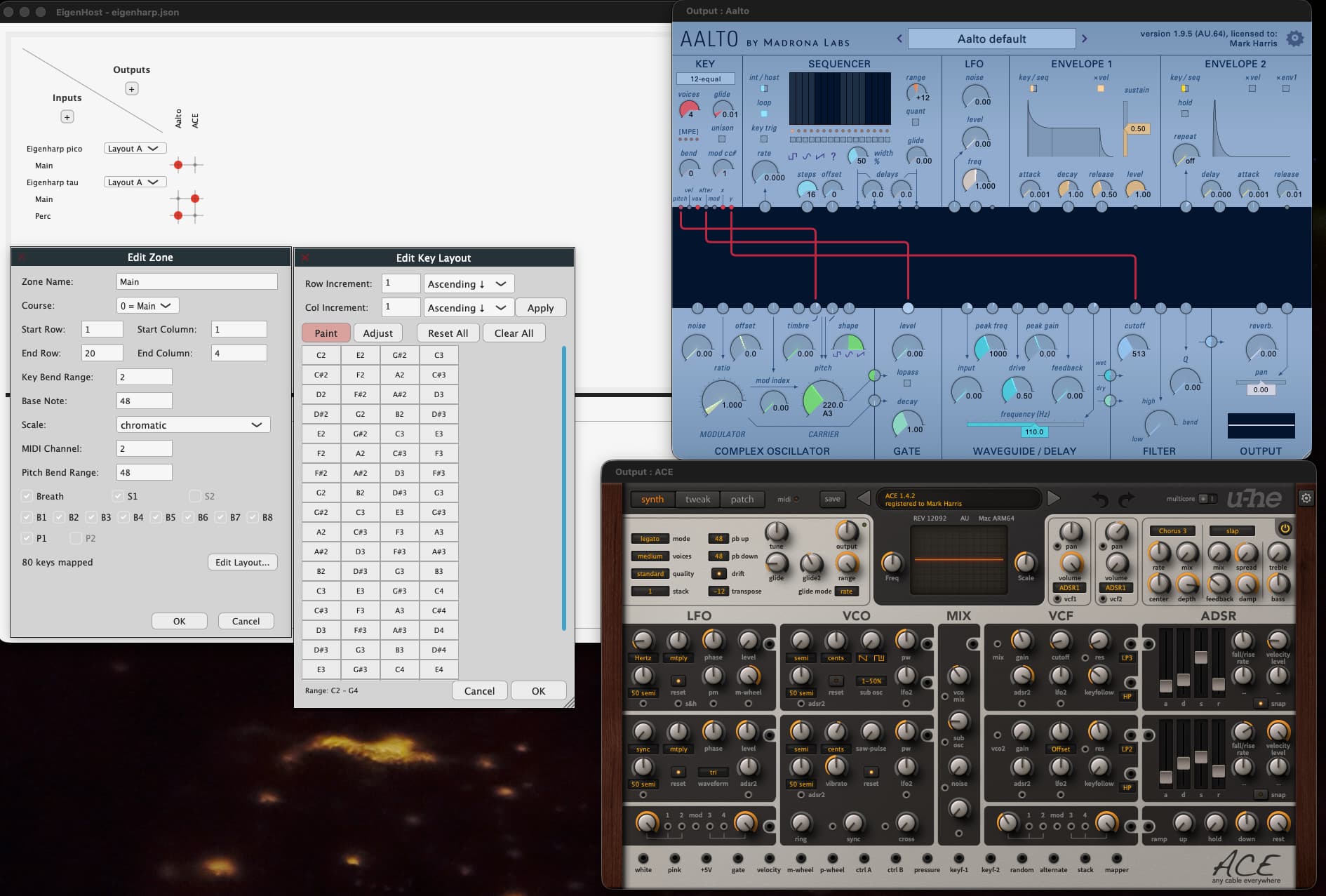
Give it a go : download link
Requirements: macOS 13.0+ / Arm
Background / Goals:
often I just want to play my Eigenharp, as an instrument… turn it on an play.
not start EigenD, start a daw, load a project… just play!
thats the start… but it soon expanded…
I wanted:
- to host multiple vsts and output to midi devices (e.g my Osmose).
- to have multiple have multiple inputs e.g. my Erae 2 , a keyboard, the Eigenharp Pico or Alpha.
- to have different zones/split to go to different outputs
- to easily change the routing
- to have different setups switch on the fly, no delay etc.
I suspect, at the time I was playing with the Eagen Matrix and so decided that a Matrix would be a really nice ‘core’ to the whole setup.
your setup decides on what Inputs and what Outputs are available
(e.g. load VST, connect to devices )
these generally will not ‘change’ (ofc, you can have multiple setup files!) during ‘performance’, and so cpu load is stable
a particular Input then has 1 or more Zones
Zones are regions on an input, that can have characteristics, e.g. for an Eigenharp a note layouts .
Interestingly, zones can overlap… this means that different layouts (seem below) that ‘cut up’ a device in different ways.
then define ‘layouts’ (don’t worry you can just have one ;)), this defines the routing e.g. which input zone (e.g Eigenharp percussion keys, or split) goes to which output (Vst/Osmose?), and also which zones are active.
overall the idea behind layouts and zones is a bit like EigenD with keygroups.
you can have a Split 1 , a Split 2, a Split 3 layout defined in one setup (file) and quickly switch between them - no loading AND the layout also defines which output they go to.
also for non-performance fun, if you want to change which VST (etc) you want to target a zone , its a simple matter of clicking on the matrix 
side note:
because we are a VST host… this means all VST parameters are saved along with your setup
note:
Application control, will be done via new ‘output type’ (Host Control), this is how you will map an arbitrary input device zone to control the app - as there are defined midi messages to do things like switch layout.
Current features
- multiple Midi input , with zones
- multiple Eigenharp, with multiple zone layouts
- Host / Output to VSTs
- Output to midi devices
- Layouts
What’s missing
the following are planned, and are already in some form ‘in the code’, or partially coded
so this is what Im kind of working on…
- Midi
is basically fixed to MPE at this stage, but I want to have ways to fine tine the midi - Mixer / FX
currently I just sum the audio outputs, and honestly thats enough most of the time, as most plugin these days have FX.
However, I do have some favourite FX (Vahalla delay/shimmer), a shame not to include these.
also for ‘performance’ its a must too… - Host / App control
the architecture / code allows for both midi and eigenharp’s to control the app.
the absolute minimum will be octave control, switching layouts, and toggling matrix connections. - Multi threaded
this is a big part of it… and something Im working very hard on currently, to to ensure a very tight threading model, that is stable…
ok, sorry, thats a lot of waffle, but its hopefully sets the stage for what this is, and the ideas I have for it 