Hello,
I’m trying to replicate the setup showed in this youtube video https://www.youtube.com/watch?v=knuc5KRuZfA&t=16s approximately one year ago by haken audio. In this video they played the warlb2 with the eagan micro. I have the exactly same setup, but at this time I’m running the haken editor on my computer (macOS Sonoma, M1 pro) to control parameters and to check everything is fine. Unfortunately I’m running on a problem with the elevation sensor which is mapped to Y in the eagan matrix. It is “working” only if I manually put the ramp at a significant value (above 100) and even with the maximum ramp value (127) it works with a very limited range. The animation isn’t working at all, while for the roll and yaw everything works fine.
I did calibrate all the sensor trough the warlb’s calibration tool, upload the HE configuration preset and I tried on the micro and on a continuum mini as well, same behaviour.
Anyone has an idea about what is happening here?
To start, forget the Micro and connect your WARBL to a Midi monitor and see how elevation actually is changing. Depending on the preset elevation may or may not be used. See how the values are being out and are the output as expected based on your elevation. Make sure you load up Ed’s config using the WARBL web tool. That should set Elevation to CC74 output on channel 2. That means it’s Y=0 at the specified minimum angle down and Y=127 at specified maximum angle up. But not all presets might use elevation. Once you have the Midi output as you expect it should work ok. You could try it on a simple preset like this connecting the WARBL to the editor as an Ext Midi instrument set to All input. Y here will move the timbre from Sine wave at Y=0 to a saw like sound at normal playing angle and then way past that at max Y.
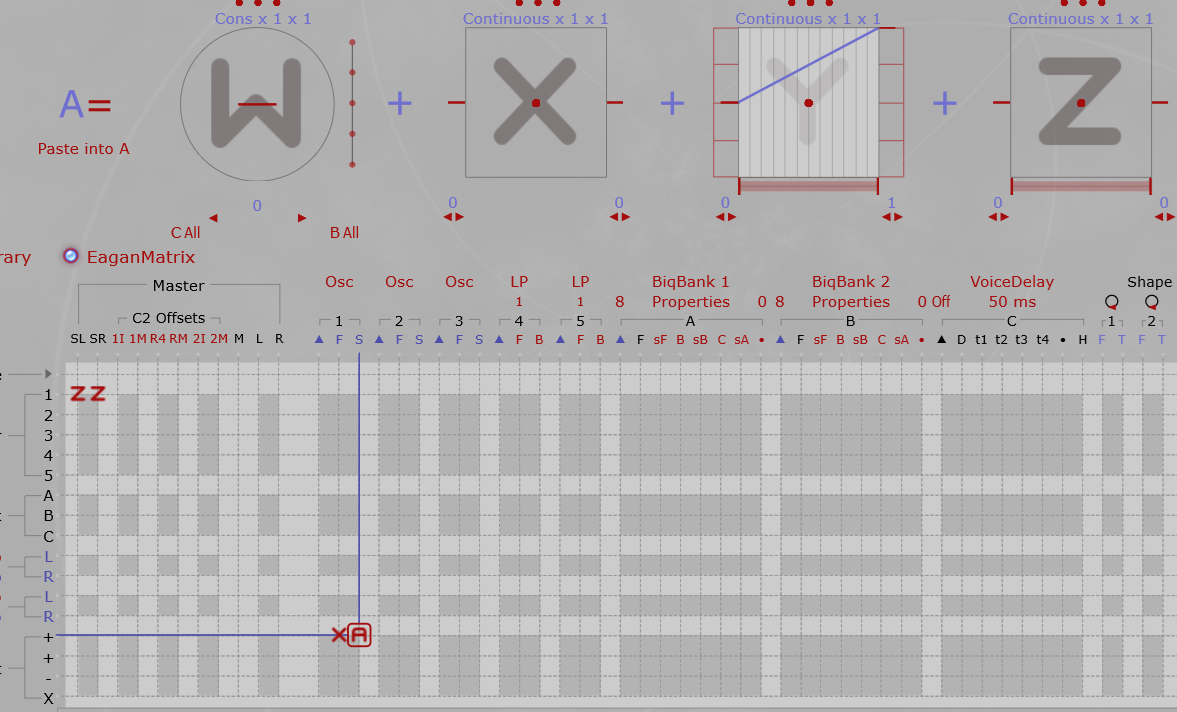
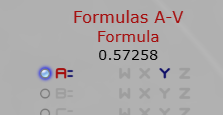
You can set Display to view Y (which is set on formula A) to confirm its going through the desired range: Here I’m playing pretty much at a straight 0 degree angle and the output is close to .5 (64 Midi) as expected - actually it will be > .5 at the current setting.
Here’s how my elevation is set in the WARBL utility. You can play around a bit here to get it to output to your desired playing angle so that at your normal playing angle, Y=64. Test it with a Midi monitor.

Also the Recorder.wbl preset has minimal change on Y (a little cutoff change and a change in tap 1 percentage). Try JennyDo.WBL as that will move through a range of Jenny Osc Frequency Multipliers on Y that is very easy to hear mapping to your Y motion.
Hello @rkram53,
thank you very much for you answers, they were useful. I ran all the test you suggest and I can confirm the Warlb2 is working as it should do it. I tried your simple patch and the elevation works fine.
But I still have problems with some presets, in which the elevation doesn’t behave as it should. In particular using the preset Flutter Clarinet Wbl using the elevation should activate the flutter sound, but it doesn’t. If I manually put the controller 1 on its maximum value (127) then with the elevation I can ear some soft movements in the sound, but nothing compare to the preset’s video demonstration. In this video Ed use the elevation to really modify the sound and the animation is on. Do you have any idea about that?
The amount of flutter is controlled by Macro i. Turn that all the way up and you will hear more flutter with Y. It’s actually set to use Pedal1 so your foot can control the max amount of flutter. Y is then a secondary control that brings it in up to the max you have set with i and Z pressure controls the speed of the flutter. Ed is using his foot while playing to dynamically control that max amount as he also uses elevation to bring it to that max amount.